

Sandbox
You can use this page to practice editing - without worrying about breaking the live website. Use it to practice adding, editing, and re-ordering blocks. The goal is to try each block type at least once, then duplicate sections and make changes so you get confident.
Headings + text blocks
Headings
H1: A main heading
H2: A smaller heading
H3: An even smaller heading
H4: The smallest heading
Body copy
This is a large paragraph block (paragraph 1). Replace a sentence, then undo it. Try adding a second paragraph and making it shorter again.
This is a normal-sized paragraph block (paragraph 2). Use this for regular body copy. This paragraph is slightly longer so you can practise trimming for clarity. Keep sentences short. If a line feels vague, replace it with something concrete.
This is a small paragraph block (paragraph 3). Use me for footnotes and things that need to be kept small.
Bullet list (list block)
Update one bullet
Delete one bullet
Add one new bullet
Turn this list into a numbered list
Buttons + links
Buttons
This is a button practice area. Try changing button labels, layout (fit and fill) and alignment. Make it link to the homepage on this site.
Text links
Below are some exercises to help you learn how to create links of all kinds. You can add these to buttons as well.
Select a word in this sentence and add a text link to another page on this site (this should open in the same browser tab).
Select a word in this sentence and add a text link to an external website (make sure the link opens in a new browser tab).
Select a word in this sentence and add a link to a file.
Select a word in this sentence and add a link to an email address.
Select a word in this sentence and add a link to an phone number (don’t forget to add the country code).
Images, galleries + videos
Image blocks
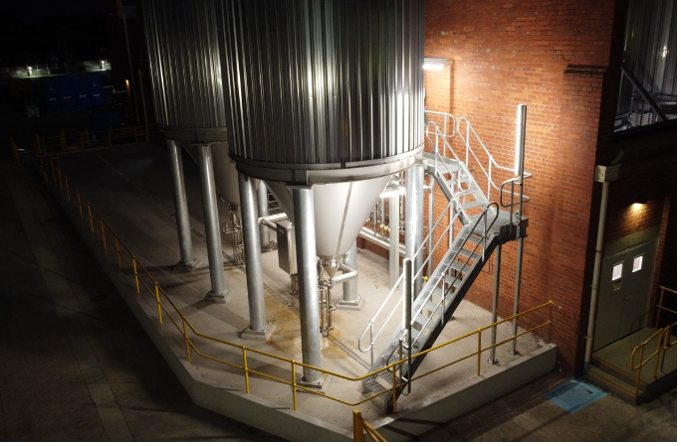
Try changing the image type of the image below (inline, poster, card, overlap, collage, stack).
Now try changing the shape of the image and adjusting the corner radius (to get a nice, curved edge).
Next, try replacing the image. Make sure you add meaningful alt text.
Bonus points if you can add a new image under the existing image. Then try dragging it up next to the existing image without changing the position of these instructions.

This image has a caption. This caption should explain what the image shows in one line. Try to turn off the caption.
Gallery blocks
Upload four new images to the gallery below. Make sure you give each a title and description (by clicking the cog).
Then change the design of the gallery (slideshow, carousel, grid, stacked) and the layout to see what layout fits best.



Video blocks
Add a video block on the right.
Now upload a video of your own or embed the following YouTube video: https://www.youtube.com/watch?v=hOgVAYpHPCc
Try uploading a custom thumbnail
Finally add a video description
Forms
Add the following fields to the form block:
Text field with the label ‘Organisation’ and relevant placeholder text. Make it required.
Dropdown block with the label ‘Area of interest’ and the following options: Advisory, Domain, Delivery, Talent
Add a post submit message
Change the email notification to your email address
Accordions
Create an accordion with 4 items:
What types of work do you support?
We support projects and programs that need clear direction, solid foundations, and delivery that holds up under scrutiny.How do you typically engage?
Engagements can be short and focused or longer-term. We shape the approach to match governance and delivery constraints.What do you produce or deliver?
Typical outputs include decision papers, foundation artefacts, delivery plans, governance rhythms, and risk controls.What’s the best first step?
A short conversation to understand context and agree on the most useful next step.
-
Description text goes here
-
Description text goes here
-
Description text goes here
This is a scrolling block
〰️
This is a scrolling block 〰️
This is a scrolling block
〰️
This is a scrolling block 〰️
This is a scrolling block
〰️
This is a scrolling block 〰️
Scrolling
Scrolling blocks are fun. You can add different text items, run them in different directions, change their speed and even make them wavy (do try this!). Update one scrolling block with these phrases:
Decisions that hold up
Foundations that scale
Practical outcomes

Summary blocks


14) Section layout practice
H2: Layout variations
Duplicate this section twice and test:
full-width background colour
two-column layout
adding a line divider between sections
adding more whitespace with spacers
moving the CTA section higher on the page
15) Final CTA section
H2: Final CTA (button practice)
This is the end-of-page CTA. Try rewriting the heading and button label.
CTA buttons
Start a conversation
Explore our services
-
Expert delivery
Nationally recognised licences and decades of experience across construction, remediation and infrastructure.
-
Cultural responsibility
We engage Traditional Owners and Aboriginal businesses from planning through to delivery.
-
Client-first partnerships
We prioritise collaboration, clear communication and practical outcomes.
-
Policy alignment
We help clients meet IPP and MMR targets—without compromising on quality or delivery.

Get in touch
Let’s build something better.
We bring deep expertise, proven systems and cultural accountability to every job. Whether you need construction, remediation or demolition, we’re ready to deliver.